 EN
EN  RU
RU 



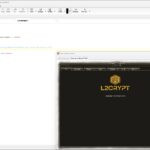
L2 File Edit v2.0 – Lineage 2 Data Editor (C3 to Helios)
Looking for a reliable Lineage 2 data editor? L2 File Edit v2.0 is a powerful tool designed to edit .dat, .ini, and .int files from the Lineage 2 system folder.
It is widely used by developers and advanced players to modify client data, customize gameplay, and fix system-related issues.
This version supports multiple Lineage 2 chronicles from C3: Rise of Darkness up to Helios.
Features
- Edit Lineage 2 system files (.dat, .ini, .int)
- Automatic decrypt and encrypt functionality for .dat files
- Includes 1datpatch.bat for batch processing multiple .dat files
- Fixes common npcgrp.dat related issues
- Supports multiple languages (English and Russian)
How to Use
- Extract L2_File_Edit_v2.0 (C3-Helios).zip
- Run L2 File Editor EN.exe
- Select your desired Lineage 2 chronicle
- Click Open & Decrypt and browse to your system folder
- Select the file you want to edit (.dat, .ini, .int)
- After editing, click Save & Encrypt
- Your file is ready to use
Automation
The included 1datpatch.bat script allows you to process multiple .dat files automatically.
- Place your .dat files in the tool folder
- Run 1datpatch.bat
- All files will be automatically decrypted, processed, and re-encrypted
Compatibility
Supports Lineage 2 chronicles from C3 up to Helios, making it suitable for a wide range of private servers and client versions.
Why Use L2 File Edit?
L2 File Edit is an essential tool for modifying Lineage 2 client files. It simplifies editing protected data files and provides automation features for faster workflow.
Credits
Developed by Miko
What others are saying
There are no contributions yet.