
 English
  Russian

Description
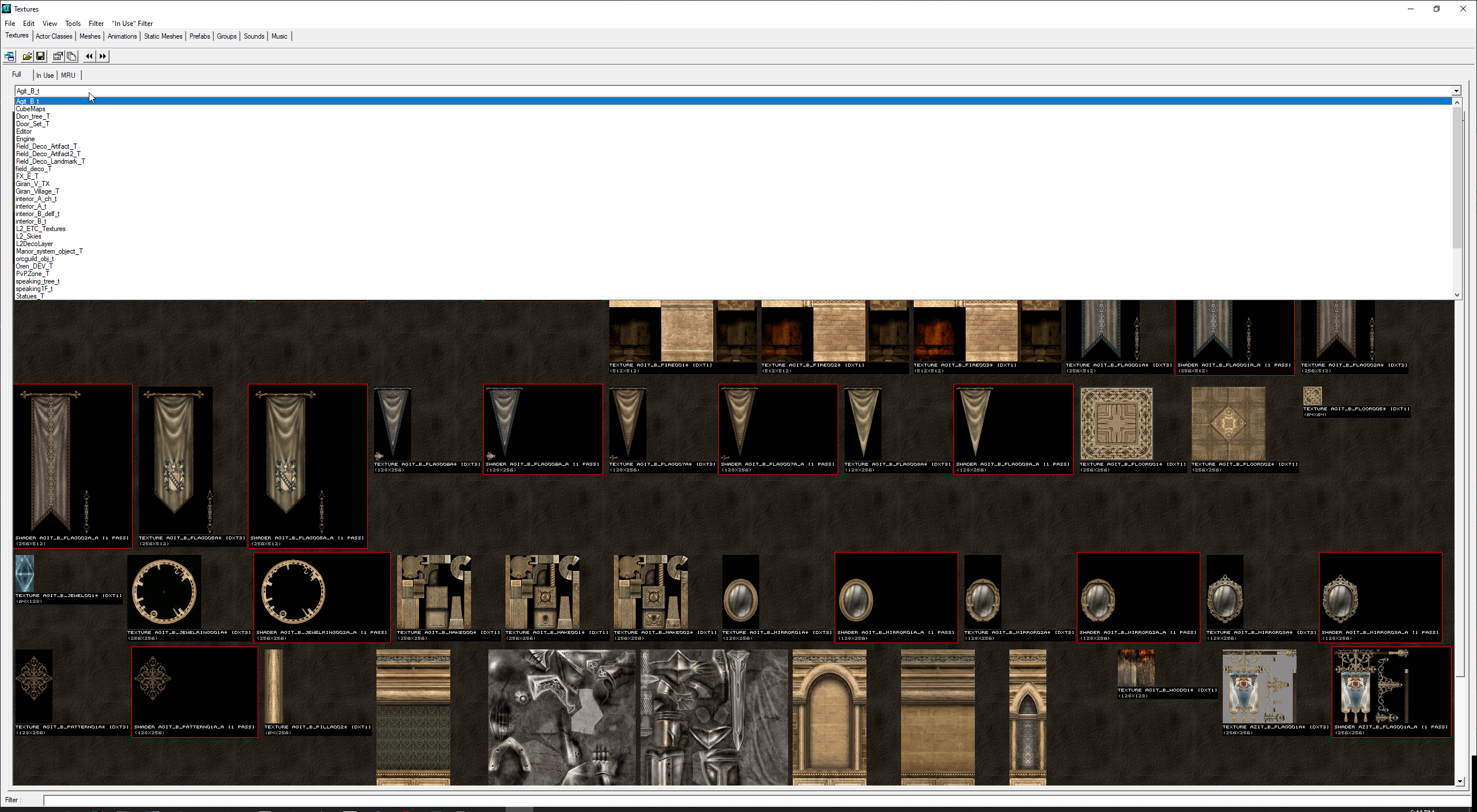
L2Editor – Viewer / Editor / Extractor for Lineage 2 Packages
L2Editor is a free tool used to open and edit native Lineage 2 package files.
It supports package types such as .utx, .ukx, and others using the original
LineageEffect, LineageEffect_br and LineageWarrior libraries from the Salvation client.
The source code of L2Editor is also included in this package.
Features
- Supported file types: u, uax, ukx, unr, usx, utx
- Supports native package versions: 111 and 121
- Save packages as version: 123 license 0
Export meshes with animations (mobs, raid bosses, NPCs)- Supported clients/chronicles: Prelude, Interlude, High Five, Helios, Salvation
How to use (Compiled version)
- Extract L2Editor-Compiled.zip into your Lineage II folder
- Run UnrealEd.exe
- Done
Note: To change L2Editor run options, edit UT2003.ini.
Note: For Prelude client use Prelude-System.zip instead.
How to use (Source code)
- Extract L2Editor-Source.zip
- Open the project with Visual Studio 2013 Community Edition
- Run System\!GenerateLibs.bat to generate the required library files
Credits: lordofdest
Question
papelx –
Hi, i’m trying run UnrealEd in Prelude System, i extracted Prelude System .rar inside my L2 Prelude folder, but when i try run UnrealEd throws me “Files are corrupted” If i try run clean prelude system the game never starts, i think is for windows version. Have some solution/suggestio to fix it? Thanks.
Upvote if this was helpful (0) Downvote if this was not helpful (0) Watch Unwatch Flag for removal
admin –
Hello,
Please take a look at L2Editor’s issues: https://bitbucket.org/lordofdest/l2editor/issues
Unfortunately we can not assist you further.
Kind Regards
Upvote if this was helpful (0) Downvote if this was not helpful (0) Flag for removal
Elfiniooo –
Amazing!! Best tool! Thank you!
Upvote if this was helpful (0) Downvote if this was not helpful (0) Watch Unwatch Flag for removal